


My Spectrum
4.7113.60K Reviews
App Specs
- Version
- 26.16.2
- Updated On
- License
- Free
- Downloads
- 10,000,000+
- Developer
- Charter/Spectrum
- Categories
- Tools
- Platform
- Android, iOS
Screenshots
 Analysis by AppCompare
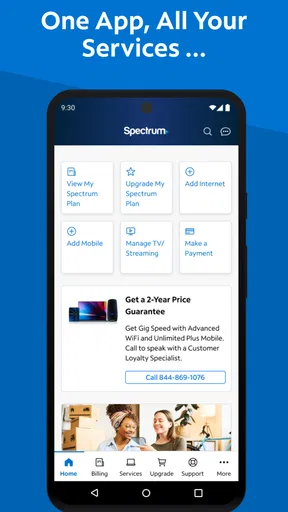
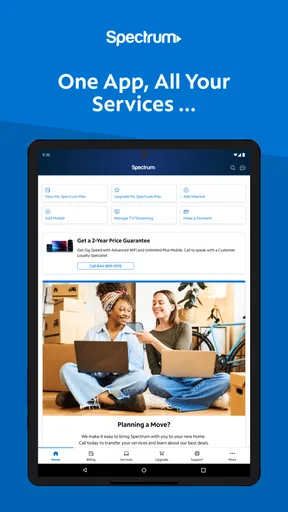
If you've ever been stuck in a tech rut, wondering how to manage your internet services on the go, then the My Spectrum app might just be your new best friend. This app is a game-changer for anyone using Spectrum services, allowing you to handle everything from paying bills to troubleshooting issues right from your phone.
Setting Up and Getting Started
Getting started with the My Spectrum app is a breeze. As soon as you download it, you're greeted with a clean and intuitive interface. Setting it up took me less than five minutes. You just need your Spectrum credentials, and you're in. If you’ve ever felt overwhelmed by tech jargon, don’t worry—this app keeps it simple.
Features That Stand Out
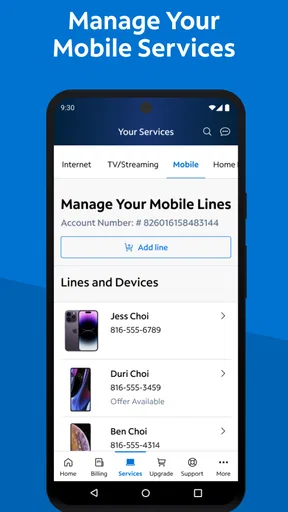
One of the most impressive features is the ability to manage your WiFi settings directly through the app. You can see which devices are connected and even pause the internet on specific devices if someone’s hogging all the bandwidth. Perfect for when you need a little peace and quiet. Plus, it’s a lifesaver during family dinners when everyone’s glued to their screens!
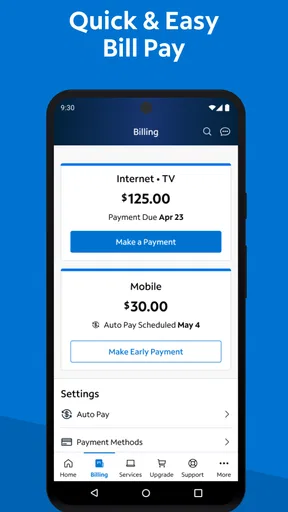
Another handy feature is the billing management. You can view your statements, make payments, and even set up auto-pay. No more scrambling to find your bill amidst stacks of paperwork. It’s all in one place, and it’s super straightforward.
Troubleshooting Made Easy
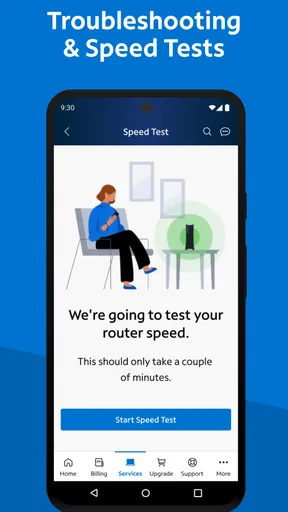
We all know the frustration of tech issues, right? Well, the app has a nifty little troubleshooting section. If something’s not working, you don’t have to be a tech wizard to fix it. The app guides you through solutions step by step. It saved me a call to customer service more than once, and trust me, that’s a win in my book.
Notifications and Alerts
Let’s talk about notifications. The app sends you alerts about service outages, upcoming bills, and maintenance schedules. It’s like having a personal assistant reminding you of everything you need to know. No more surprise outages or missed payments.
User Experience and Interface
The user experience with the app is top-notch. The design is sleek, the navigation is intuitive, and it’s overall very user-friendly. I didn’t find myself getting lost or frustrated, which is often a rarity with utility apps. Spectrum has clearly put a lot of thought into making this app as accessible as possible.
Worth Reading Before You Choose

EA SPORTS FC Mobile 26 Is a Bigger Football Game, but It Takes Time

Flipboard Shows What News Apps Must Do Beyond the Feed

Switching to Android Auto Means Rethinking Your Driving Routine

Google Calendar Makes a Crowded Week Easier to Manage

Ludo King Makes the Most of the Minutes Between Plans

Baby Panda World Brings Quick Play to Modern Phones, but Its Game Library Feels Busy
Security and Privacy
Security is another big plus. The app uses encryption to protect your information, which is a must-have these days. You can also enable biometric login for an extra layer of protection. It’s good to know that your personal data is safe and sound.
Room for Improvement?
No app is perfect, and while the My Spectrum app is fantastic, there are a couple of areas that could use a little polish. Sometimes the loading times can be a bit slow, especially when accessing detailed account information. It’s not a deal-breaker, but a little more speed would be welcome.
I also found that while the app handles most tasks, there are still some things you might need to do on the main website. It would be great to see more features integrated into the app in future updates.
Final Thoughts
All in all, the My Spectrum app is a solid choice for anyone using Spectrum services. It simplifies managing your account and services, saving you time and hassle. Whether you’re tech-savvy or not, this app makes it easy to stay on top of your internet game.
So, if you’re juggling multiple devices, need to manage WiFi settings, or just want a simple way to pay your bills, give this app a try. You might find it’s just what you’ve been missing. Happy surfing!
Pros
- User-friendly interface for easy navigation.
- Comprehensive account management features.
- Real-time outage updates keep you informed.
- Secure and easy bill payment options.
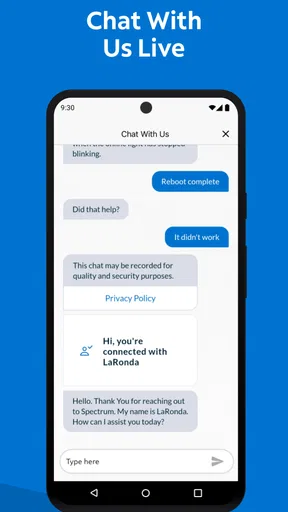
- 24/7 customer support access within the app.
Cons
- Limited features for non-Spectrum users.
- Occasional slow loading times reported.
- Some features require additional login.
- Notifications can be overly frequent.
- Not all devices are fully supported.
FAQs for My Spectrum
What is My Spectrum and what can I do with it?
My Spectrum is a comprehensive app designed to help Spectrum customers manage their services conveniently. With it, you can pay bills, troubleshoot issues, view service details, and manage your WiFi settings. It also provides access to support resources and allows you to check for outages in your area.
Is the My Spectrum app free to use?
Yes, the My Spectrum app is completely free for Spectrum customers. There are no additional charges for downloading or using the app. However, standard data rates may apply if you are not connected to a WiFi network while using the app.
Can I manage multiple accounts with the My Spectrum app?
Currently, the My Spectrum app is designed to manage a single account at a time. If you have multiple Spectrum accounts, you will need to log out of one account and log into another to manage different services. This may be updated in future app versions.
What devices are compatible with the My Spectrum app?
The My Spectrum app is available for both Android and iOS devices. It requires Android 5.0 and up or iOS 11.0 and later. It is compatible with most smartphones and tablets, providing a user-friendly interface for managing your Spectrum services on the go.
How secure is the My Spectrum app?
My Spectrum employs robust security measures to protect your personal and account information. The app uses encryption protocols to ensure data privacy and secure login processes, including the option for biometric authentication (fingerprint or face recognition) for added security.


